
Unlocking the Full Potential of Your Samsung Galaxy: Features You Can’t Afford to Miss
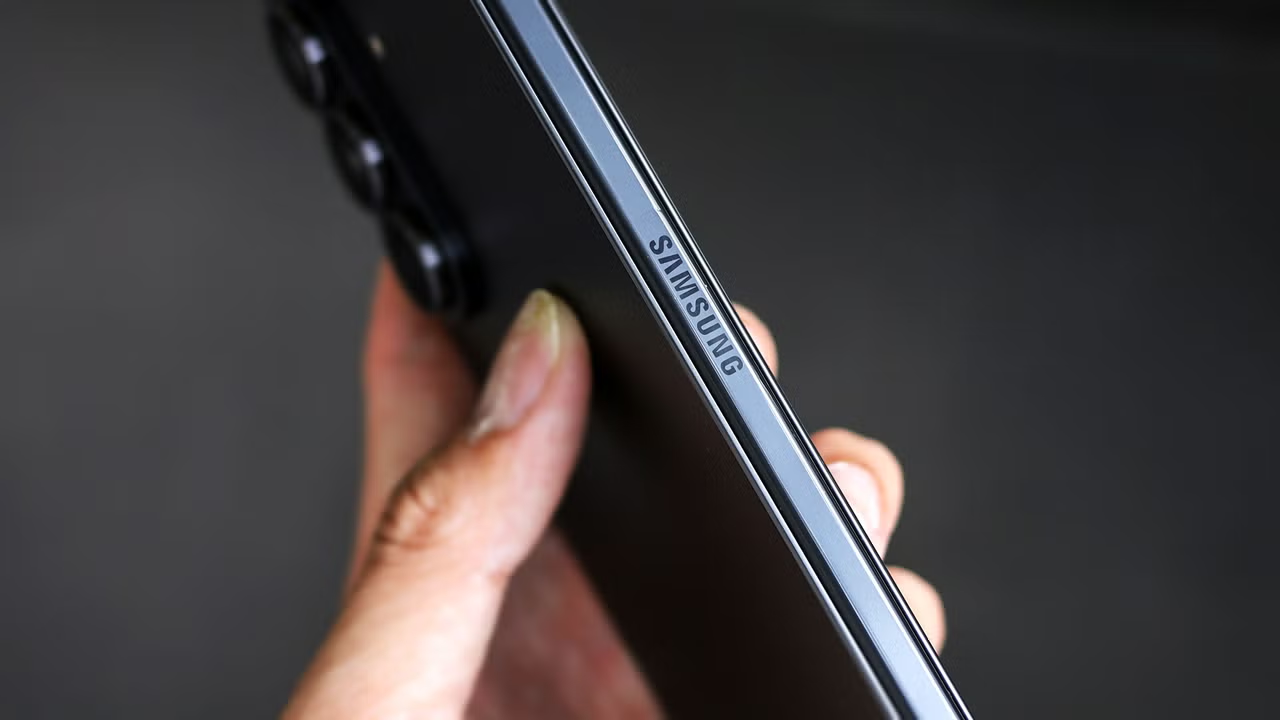
Transforming Technology into Convenience
In the bustling tech landscape, Samsung has consistently proven itself as a leader, not just in innovation but also in user-centric design. However, even the most advanced devices often come with an array of remarkable features hidden beneath the surface, waiting to be unleashed. If you own a Samsung Galaxy phone, activating these settings can significantly enhance your daily experience.
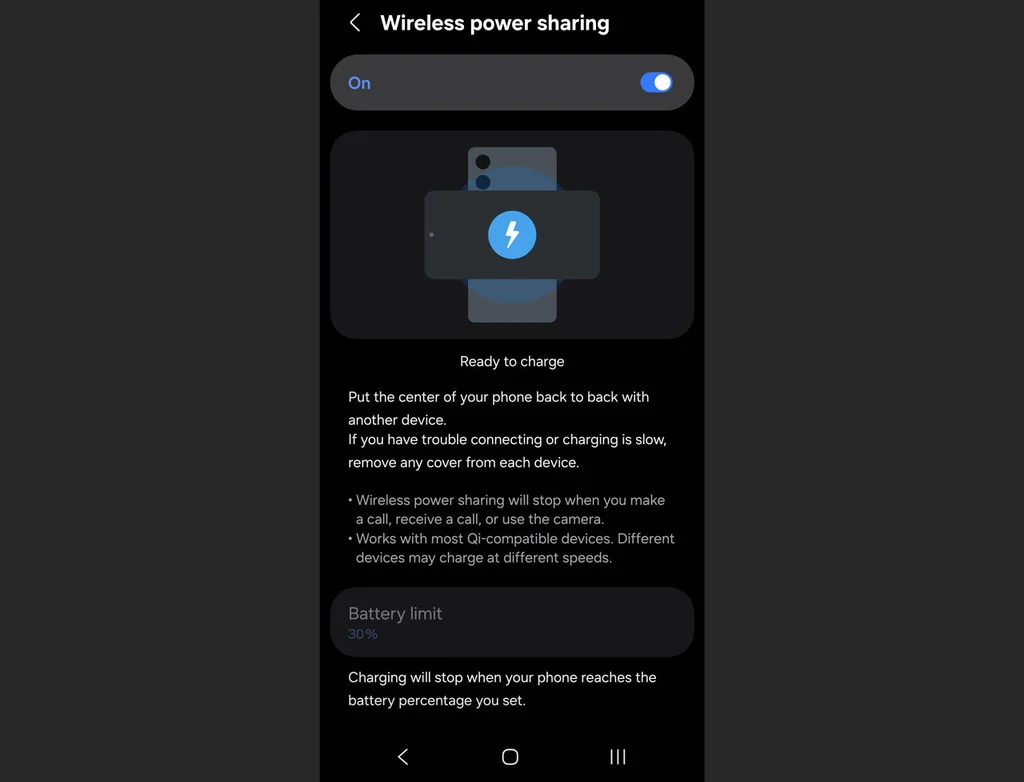
Empower Your Devices: Wireless Power Sharing
Imagine being able to lend a charge to a dying phone or your wireless earbuds right when they need it most. With Wireless Power Sharing, your Galaxy phone transforms into a portable wireless charging pad. This feature is ideal for those on the go, ensuring that you and your friends remain connected without the need for extra cables. To activate it, simply navigate to the Settings menu, scroll to Battery, and enable Wireless Power Sharing. Then, flip your phone face-down and place the device that needs charging on its back for an instant boost.
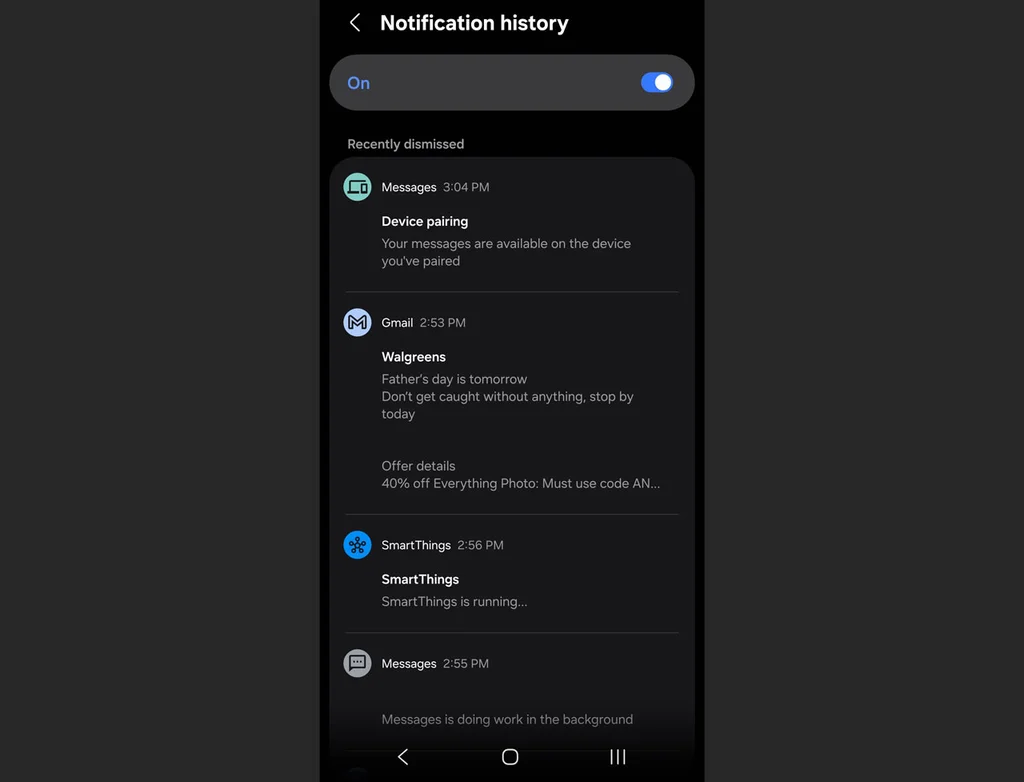
The Gift of Memory: Notification History
In this fast-paced world, important notifications can easily slip through the cracks. Samsung’s Notification History feature acts as a digital safety net, capturing every alert that arrives on your phone. By enabling this feature, you gain access to a chronological log of notifications for the past 24 hours. If you accidentally swipe away a crucial message, simply head to Settings, select Notifications, then Advanced settings, and activate Notification history. This way, you’ll never miss what matters most.
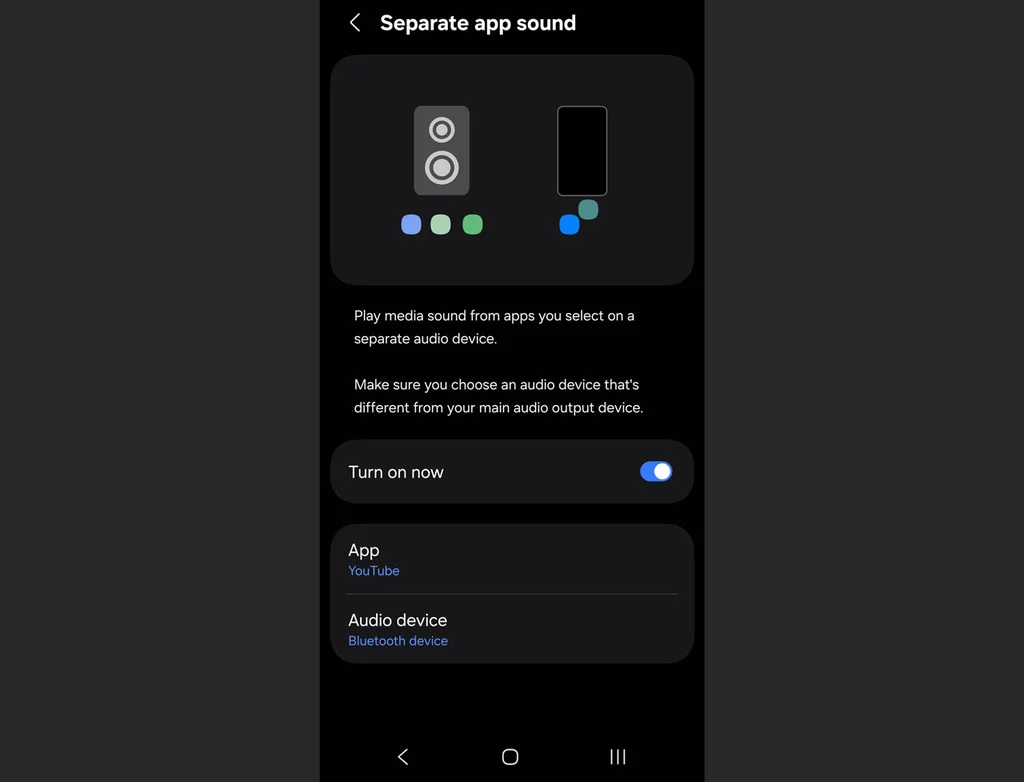
Curating Your Sound Experience: Separate App Sound
For audiophiles and multitaskers alike, Separate App Sound is a game-changer. This ingenious feature allows you to designate specific apps to play their audio through different outputs, ensuring that your music or podcasts remain uninterrupted by incoming notifications. Just go to Settings, select Sounds and vibration, and enable Separate app sound. Whether you’re jamming out to Spotify on a Bluetooth speaker or enjoying a podcast in the comfort of your earbuds, this feature optimizes your listening enjoyment by keeping audio channels distinct.
Revamping the Power Button: Customization at Your Fingertips
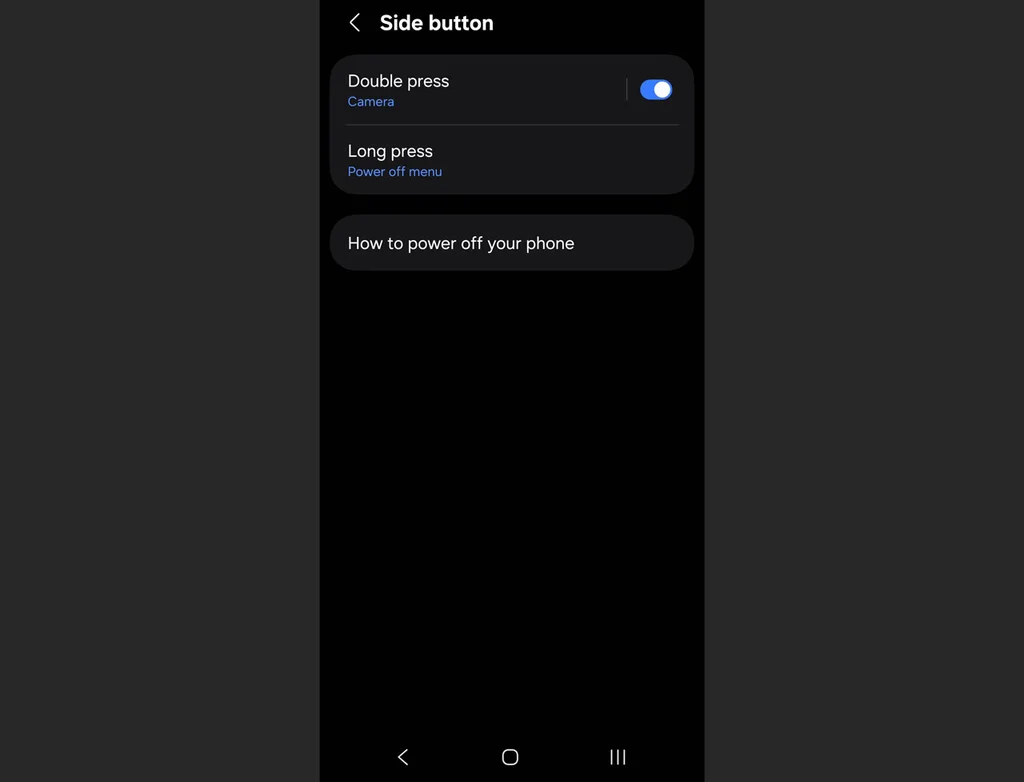
Samsung understands the nuances of user preference, which is why remapping the power button can be a revelation. By default, a long press on the side button launches your digital assistant instead of the power menu. To reclaim control, head to Settings, tap Advanced features, and select Side button. Here, you can redefine what actions occur with a press and hold, such as bringing up the power menu or launching your favorite app with a double press. This customization can streamline your interactions and make everyday tasks more efficient.
Silencing with Style: Mute with Gestures
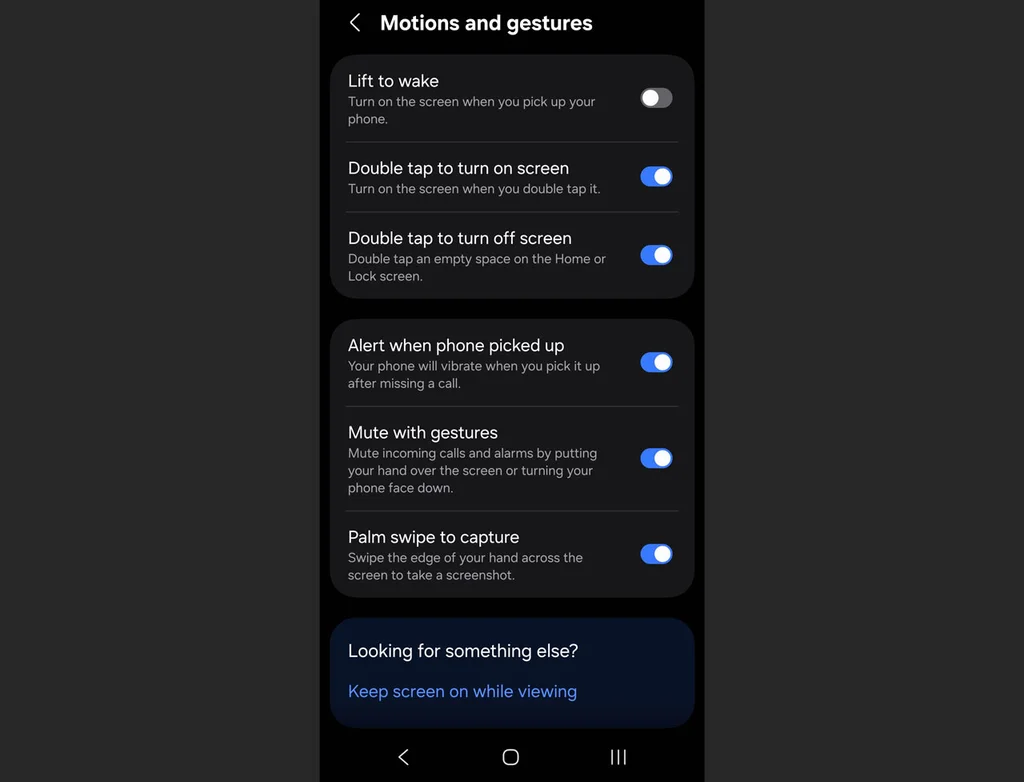
In moments of chaos, the instinct to silence a ringing phone can lead to frantic fumbling. Samsung’s Mute with Gestures feature offers a more elegant solution. By placing your palm over the screen or flipping the phone face-down, you can quickly mute alerts without the hassle. This option is particularly useful in settings where discretion is paramount, allowing you to maintain control over your environment seamlessly. Activate this feature through Settings, heading to Advanced features, and selecting Motions and gestures.
Preserving Longevity: Battery Protection
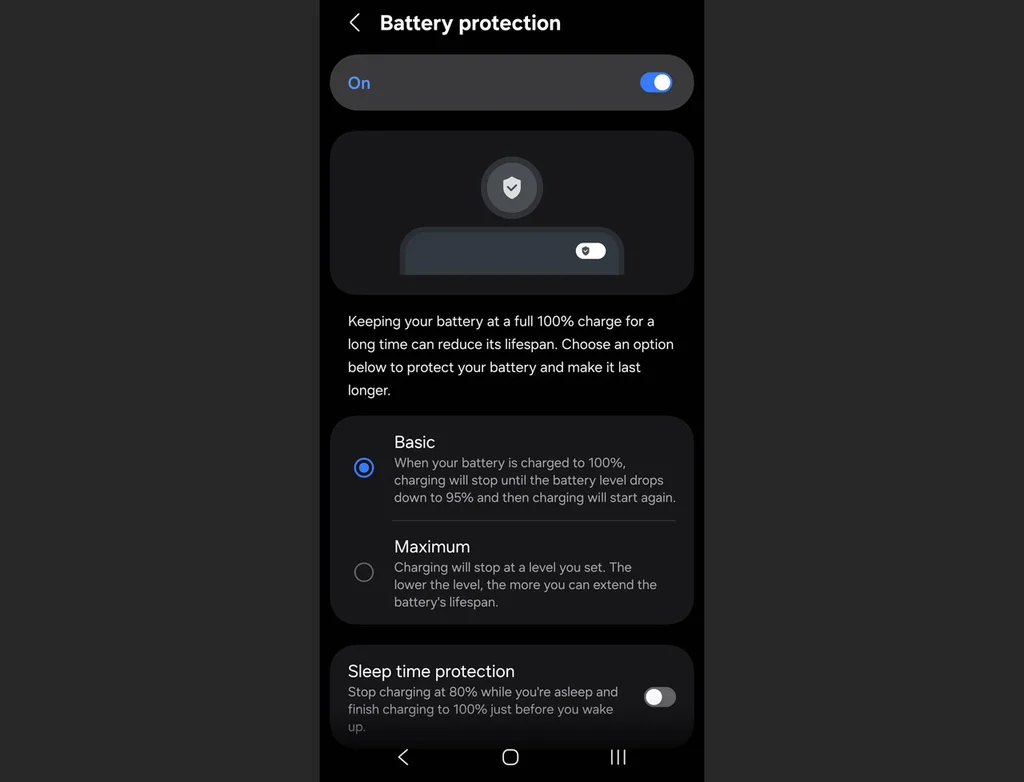
While fast charging technology is a boon for modern smartphone users, it can also lead to long-term battery degradation if not managed properly. Samsung’s Battery Protection feature helps extend the lifespan of your device by limiting the time it spends at full charge. By navigating to Settings, then Battery, and activating Battery protection, you can choose between Basic or Adaptive modes to ensure your battery is optimized for longevity, particularly during overnight charging.
Conclusion: Elevating the Samsung Galaxy Experience
As Miami’s vibrant lifestyle intertwines with cutting-edge technology, mastering the features of your Samsung Galaxy device can significantly enhance your day-to-day interactions. By enabling these hidden functionalities, you unlock a world of convenience, efficiency, and personalization that aligns perfectly with the dynamic pace of urban life. Embrace the power of your smartphone and redefine what it means to be connected.
Editorial note: This article was created by A Bit Lavish Miami’s Magazine as an original editorial reinterpretation based on publicly available reporting. Original source: fastcompany.com. Read the original article here: https://www.fastcompany.com/91562749/best-samsung-galaxy-features.
Images are used for editorial reference with source credit. If an image requires correction or removal, please contact A Bit Lavish.








Guardians of Innovation: The Rising Tide of Security Workers in Silicon Valley
Explore the critical role of security workers in Silicon Valley's AI landscape...
 2 Mins read

The New Chapter in AI: How Book Acquisitions are Reshaping Language Models
Explore how AI companies are acquiring physical books to enhance training for...
2 Mins read

Reassessing the Impact of Cell Phone Bans in Schools: A Miami Perspective
Explore the nuanced effects of cell phone bans in schools, with insights...
2 Mins read



Navigating the AI-Infused Entertainment Landscape: The Rise of ‘Bad Cat’
Explore the intriguing intersection of AI and nostalgia in entertainment with the...
2 Mins read
